PetrichorPages
Stories. Beautifully crafted.
PetrichorPages is a desktop app that turns your manuscript into a beautifully formatted, print-ready book — no design experience required. Import your Word document, pick a theme, and export a polished interior PDF and EPUB ready for KDP or any other publishing platform.
This app is currently Windows only (Windows 10/11, 64-bit). It is not yet available for Mac or other operating systems.
What It Does
- Import your manuscript directly from a Word (.docx) file — PetrichorPages automatically detects your chapters and structure.
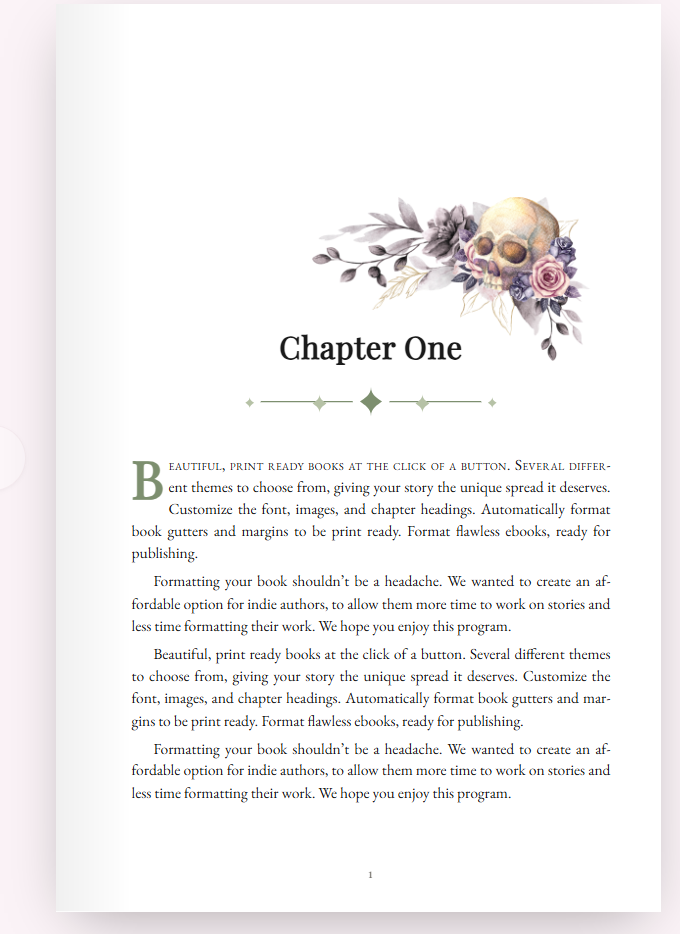
- Choose a theme from a growing library of professionally designed styles, from clean and modern to richly decorative — full-page artwork, custom drop caps, and chapter ornaments included.
- Fine-tune the details — trim size, margins, fonts, drop caps, and more, with a live preview as you go.
- Add and arrange images — drag to reposition, resize without disrupting your text, or set an image to bleed across the full page.
- Export print-ready PDF — including proper bleed for KDP and other print-on-demand platforms.
- Export EPUB for ebook platforms.
- Save your project as a file on your own computer, and pick up right where you left off.
Your Manuscript Stays Yours
Everything happens locally, on your own computer. Your manuscript is never uploaded to a server or stored in the cloud — saving a draft simply writes a file to your computer, the same as saving any other document.
Growing Theme Library
Beyond the themes included with your purchase, additional themes are available to unlock right from inside the app as they’re released — each with its own color palette, fonts, and custom artwork.
System Requirements
- Windows 10 or 11 (64-bit)
- macOS 11 (Big Sur) or later
- Linux
One-Time Purchase
PetrichorPages is sold as a one-time purchase, not a subscription — buy it once and it’s yours. Your license key is emailed to you immediately after purchase.
Whop online access is available as well (see https://petrichorpages.com/about-us/)
By purchasing, you agree to our Terms and Conditions, End User License Agreement, and Privacy Policy. Please also review our notice about the Windows security warning you may see during installation.